Volleyball Legends Script
38 features across 6 categories, updated weekly.
Volleyball Legends script preview
The real ZekeHub menu, rebuilt for the browser. Click around to try it.

Watch the Volleyball Legends script
Volleyball Legends Script — Auto Spin the New Slime Style (Update 88) · 21 Sept 2026


About the Volleyball Legends script
The ZekeHub Volleyball Legends script packs 38 working features into 6 categories (Spinning, Aim, and Combat), built for Volleyball Legends players who want everything in one loader. Expect silent aim, speed, and automation alongside the rest of the 38-feature set. Volleyball Legends pulls 4B visits, so it gets active attention whenever the game patches. Run it on Volcano, Madium, Volt, Wave, ChocoSploit, or any other supported executor; weekly updates mean it tracks Volleyball Legends as the game changes.
Set a target rarity, walk away, come back to it. Plus maxed style stats, expanded hitboxes and silent aim.
Auto Spin
Auto style spin and auto ability spin. Spend Lucky Spins or Yen, stop automatically on a target rarity, or on one specific style or ability.
Style Multipliers
Multipliers for spike power, jump power, speed, bump power, block power, dive speed, serve power, set power and tilt power.
Aim
Auto tilt, silent aim with turn-on-jump plus jumping-only and serving-only modes, directional hit with the same conditions, dive aimbot and aim direction visualiser.
Hitbox
Hitbox expander with size multiplier, optional per-move targeting and a hitbox visualiser.
Combat
Max serve, mid-air rotation, no cooldown globally or per move, max charge per move with charge level and force special run, zero power bump and zero power set.
Misc
Auto hit with ground action, air action, radius and keybind, move in air, and a three-slot emote changer.
About Volleyball Legends
Read the game description from RobloxHide the game description
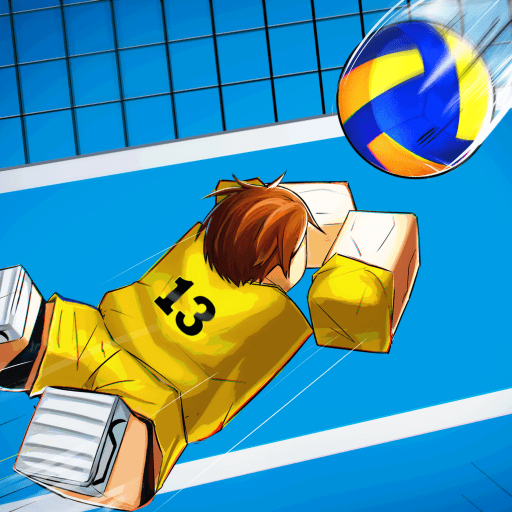
BECOME THE KING OF THE COURT in Volleyball Legends!!
🏐🔥🔥FAST-PACED 6v6 Volleyball
Play a pickup Volleyball game with friends OR challenge anyone in a RANKED match
🎮CONTROLS:
Bump, Spike in Midair - CLICK [PC], RT [CONSOLE]
Set, Block in Midair - Q [PC], LT [CONSOLE]
Dive - CTRL [PC], X [CONSOLE]
❓HOW TO SERVE:
Once it is your turn to serve, click on screen (RT on console). Click again to choose power.
You can jump and spike the ball (tilt to change direction of the ball).
You can also let the ball drop to bump serve the ball in.
Premium benefits: Premium players receive +10% Yen
New updates weekly Saturdays at 11:30am EST!
Follow the game so you don't miss out!
Description sourced from Roblox.
All 38 Volleyball Legends features
38 features across 6 categories: Spinning, Aim, Combat, Hitboxes, Style Stats, Emotes.
Show all 38 featuresExpandCollapse
Spinning
- Auto Spin (Style) — Automatically spins for styles
- Use Lucky Spins (Style) — Use lucky style spins when available
- Use Money (Style) — Use money for style spins
- Stop On Rarity (Style) — Stop spinning when the target style rarity is reached
- Target Rarity (default Legendary)
- Stop On Style — Stop spinning when target style is obtained
- Target Style — Populated dynamically
- Auto Spin (Ability) — Automatically spins for abilities
- Use Lucky Spins (Ability) — Use lucky ability spins when available
- Use Money (Ability) — Use money for ability spins
- Stop On Rarity (Ability) — Stop spinning when the target ability rarity is reached
- Target Rarity (default Legendary)
- Stop On Ability — Stop spinning when target ability is obtained
- Target Ability — Populated dynamically
Aim
- Auto Tilt — Dynamically adjusts tilt for a better shot; disable for flatter shots. Works on Silent Aim & Directional Hit
- Silent Aim — Aims hits at the best empty spot on the enemy court. Overrides Directional Hit
- Turn On Jump — Rotates toward the target as you jump instead of snapping at the moment you hit
- Only While Jumping
- Only While Serving
- Directional Hit — Sends your camera direction to the server when hitting the ball
- Only While Jumping
- Only While Serving
- Dive Aimbot — Aims your dive towards the closest ball
- Auto Hit — Auto hits the ball - sets when grounded, spikes when mid-air
- Auto Hit (default key None)
- Ground Action (default Set)
- Air Action (default Spike)
- Radius (1 to 50, default 10) — Radius to hit the ball from
Combat
- Max Serve — Always full-power serves
- Mid-Air Rotation — Snaps your character to face your camera direction when you jump
- Move In Air — Allow movement while in the air
- No Cooldown (All) — Remove all move cooldowns
- No Cooldown (Per Move) — Remove cooldowns for specific moves only
- Moves (default Spike) — Multi-select moves
- Max Charge (Per Move) — Automatically applies the chosen charge level to selected moves, including charge-based style specials
- Max Charge (default key None)
- Charge Level (0 to 1, default 1)
- Force Special Run
- Moves (default Spike) — Multi-select moves
- Zero Power Bump — Bump with zero power
- Zero Power Set — Set with zero power
Hitboxes
- Expand Hitboxes — Enable hitbox expansion
- Size Multiplier (1 to 10, default 2)
- Only Specific Moves
- Moves To Expand (default Spike) — Multi-select
- Visualize Hitbox — Show the hitbox for selected move
- Move (default Spike)
- Show Enemy Aim Lines — Shows enemy aim directions with lines
Style Stats
- Spike Power — Your style's spike power multiplier. Flagged as risky in the menu, changing spike power is reported to get you banned
- Spike Power (0.1 to 15, default 1)
- Jump Power — Your style's jump power multiplier
- Jump Power (0.1 to 15, default 1)
- Speed — Your style's speed multiplier
- Speed (0.1 to 15, default 1)
- Bump Power — Your style's bump power multiplier
- Bump Power (0.1 to 15, default 1)
- Block Power — Your style's block power multiplier
- Block Power (0.1 to 15, default 1)
- Dive Speed — Your style's dive speed multiplier
- Dive Speed (0.1 to 15, default 1)
- Serve Power — Your style's serve power multiplier
- Serve Power (0.1 to 15, default 1)
- Set Power — Your style's set power multiplier
- Set Power (0.1 to 15, default 1)
- Tilt Power — Your style's tilt power multiplier
- Tilt Power (0.1 to 15, default 1)
Emotes
- Slot 1
- Slot 1 — Populated dynamically
- Slot 2
- Slot 2 — Populated dynamically
- Slot 3
- Slot 3 — Populated dynamically
Volleyball Legends script FAQ
01Can I run the Volleyball Legends script on my executor?
Use any major executor: Volcano, Madium, Volt, Wave, and ChocoSploit, among others. The Executors page tracks which are up to date day-to-day.
02What's the price of the Volleyball Legends script?
£6.99 for 30 days or £18.99 once for Lifetime, covering the Volleyball Legends script and every other hub script. Lifetime costs less than three months of Monthly.
03What features does the Volleyball Legends script have?
Yes — the Volleyball Legends script includes silent aim, speed, and automation, on top of 35+ other features across 6 categories.
04Is the Volleyball Legends script kept up to date?
Updates land weekly, so the Volleyball Legends script keeps up with patches. The loader always fetches the newest version automatically.
05What's in the Spinning section of the Volleyball Legends script?
The Spinning section is the largest part of the Volleyball Legends script with 10 features, including Auto Spin (Style), Use Lucky Spins (Style), Use Money (Style), Stop On Rarity (Style), and more. The other categories are Aim, Combat, Hitboxes, and Style Stats.
More questions? See the full FAQ →