
Welcome to Bloxburg Script
60 features across 19 categories, updated weekly.
Welcome to Bloxburg script preview
The real ZekeHub menu, rebuilt for the browser. Click around to try it.

Watch the Welcome to Bloxburg script
Bloxburg Halloween Script — AUTO DAILY GHOSTS (Free Blockbux), Auto Ghost Patrol & Auto Farm · 9 Oct 2026

About the Welcome to Bloxburg script
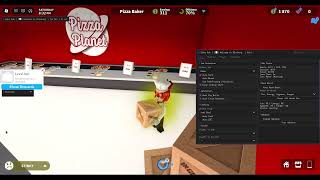
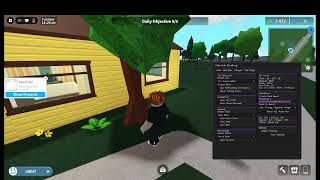
If you play Welcome to Bloxburg, the ZekeHub Welcome to Bloxburg script is the most complete option going — 60 features across 19 categories, kept in sync with every Welcome to Bloxburg update. Expect auto farm and teleport alongside the rest of the 60-feature set. Welcome to Bloxburg is a town and city experience with 10.1B visits, and the script is tuned to how the game actually plays. It runs on Volt, Wave, ChocoSploit, Potassium, Solara, and the rest of the major executors, and gets patched weekly so a Welcome to Bloxburg update never leaves you stuck.
Plants that never wither, a job that runs itself, and any player's house copied onto your plot.
Garden
Auto plant, auto water and auto harvest with your own sow and harvest lists — plants stay alive without you checking on them, and without spending Blockbux to rush growth.
Money
Auto farm any job with vehicle pathfinding, never ending shift, and scheduled breaks set by interval and length. Auto pay bills and auto close paychecks.
Mood
Auto mood boost with a threshold — keep every mood above 81% and you're paid at 100%. Boost all moods instantly at any time.
House Builder
Copy any player's house and rebuild it on your plot. Save your own builds, preview before loading, hide the roof or walls to look inside, pause or abort mid-build. Choose your target plot, use Blockbux items, inventory items and vehicle placement.
House Database
Upload a saved house and share it by ID, or fetch anyone else's build by ID.
Cooking
Auto cook with food selection and auto QTE.
Extras
Vehicle mod for forward speed, reverse speed, turn speed, suspension height, max lean and pitch. Time of day control, teleport to any player's plot, view player stats, and a Discord webhook with adjustable delay.
About Welcome to Bloxburg
Welcome to Bloxburg is Bloxburg Development's life sim — work jobs, drive around town, and build a house with one of the deepest build modes on Roblox. Ten skills grow through everyday activity including cooking, gardening, music and writing. Pay scales with your overall work level rather than the job itself, mood affects how much you take home, and bills come due whether you're playing or not. Updates ship on Thursdays, with Magnolia Mansion and its garden added on September 10.
Read the game description from RobloxHide the game description
👋 Welcome to the town of Bloxburg, where you can be anything you want to be!
🏡 Build and decorate, or buy the house or creation of your dreams!
👕 Customize your character with outfits and roles!
🎭 Roleplay with friends using interactive items and emotes!
💼 Choose a job and earn money + rewards as you work!
🚗 Select one of many vehicles and drive around town!
🏆 Level up your skills, such as cooking, and unlock exciting content!
Thanks for playing! Make sure to follow us ⭐ and give the game a thumbs up! 👍
Genres: Roleplay, Building, Life Simulation, Hangout, Town & City, Driving
Description sourced from Roblox.
All 60 Welcome to Bloxburg features
60 features across 19 categories: Job Selection, Automation, Job Stats, Mood Boost, Webhook, Cooking, Garden, House Builder, House Database, Build Controls, Build Settings, Weather, Messages, Paycheck, Vehicle, Teleport, Player Stats, Daily Ghosts, Ghost Patrol.
Show all 60 featuresExpandCollapse
Job Selection
- Select Job
- Select Job (default Ice Cream Seller)
- Auto Farm — Automatically farm selected job
- Auto Break — Simulates real playtime instead of farming non-stop - takes breaks every X hours for X minutes
- Break Every (hours) (0.5 to 8, default 2)
- Break Length (min) (1 to 60, default 15)
- Use Pathfinding (Vehicles) — Use pathfinding for Taxi/Delivery jobs. Falls back to tween if pathfinding fails.
- Never Ending Shift — Prevent shift from ending
Automation
- Auto Pay Bills — Automatically pays house bills when due
- Auto Close Paycheck — Hides paycheck notification while auto farming
Job Stats
Mood Boost
- Auto Mood Boost — Automatically boosts moods when low during auto farm
- Moods to Boost (default Fun) — Multi-select - which moods to boost
- Threshold % (5 to 100, default 30)
- Boost All Moods Now — Manually boost all moods immediately
Webhook
- Enable Webhook — Send earnings to Discord webhook
- Webhook URL — Text input - Discord webhook URL
- Delay (sec) (10 to 300, default 60)
- Test Webhook — Test your Discord webhook
Cooking
- Select Food
- Select Food — Populated dynamically
- Auto Cook — Automatically cook selected food
- Auto QTE — Automatically complete cooking QTE events
Garden
- Plants To Sow — Auto Plant fills empty dirt piles with these, cycling through them. Anything too big for a spot is skipped.
- Plants To Sow — Multi-select - populated dynamically
- Plants To Harvest — Pick none to harvest every crop and leave decorative plants alone. Pick a plant with no crop (mushrooms, hedges) and it gets sold off whole.
- Plants To Harvest — Multi-select - populated dynamically
- Harvest — Auto takes the money when a plant pays out, otherwise puts the crop in your inventory.
- Harvest (default Auto)
- Auto Harvest — Picks everything ripe on your plot, whatever it is.
- Auto Plant — Refills every empty dirt pile with the crop above.
- Auto Water — Dry plants stop growing and then wither. Keep this on.
House Builder
- Player to Copy — Choose a player whose house to copy
- Player to Copy — Populated dynamically
- Save As (optional)
- Save As (optional) — Text input - leave blank for auto-name
- Copy Player House — Copy the selected player's house
- Save My House — Save your own house to file
- Select House — Choose a saved house to load
- Select House — Populated dynamically
- Show Preview — Show a preview of the selected house
- Destroy Preview — Remove the house preview
- Hide Roof — Hides the roof on the house preview
- Hide Walls (look inside) — Hides the walls on the house preview so you can see inside it
- Load House — Load the selected house (double-click)
- Delete Selected — Delete the selected house file (double-click)
House Database
- Upload Selected House — Upload the selected house to the cloud database
- House ID
- House ID — Text input - cloud house ID (e.g. bx7k2m)
- Fetch by ID — Fetch a house from the cloud by ID
- Download to Local Houses — Saves the fetched cloud house to your local house list
Build Controls
- Pause Build — Pause the current build
- Abort Build — Abort current build (double-click)
Build Settings
- Build Target — Which plot to build on (you need build permission)
- Build Target (default My Plot)
- Refresh Plots — Refresh the Build Target dropdown
- Use Blockbux Items — Allow placing items that cost Blockbux
- Place Vehicles — Allow placing vehicle items
- Use Inventory Items — Places items you already own from your inventory instead of buying new ones. Only places as many as you have
- Auto-Build Debug Log — Writes one formatted JSON file per build to ZekeHub/Bloxburg/BuildLogs, named after the house and the build time
Weather
- Time of Day
- Time of Day (default Noon)
- Change Time — Enable time override
Messages
- Alert Title
- Title (default Alert)
- Alert Message
- Message (default Message)
- Send Alert — Send alert box
- Send Message — Send message box
Paycheck
- Job ID
- Job ID (default BensIceCreamSeller)
- Base Pay
- Base Pay (default 100) — Text input - numeric
- Bonus Pay
- Bonus Pay (default 50) — Text input - numeric
- Show Paycheck — Display custom paycheck
Vehicle
- Vehicle Mod — Enable vehicle modifications
- Forward Speed (0.1x to 10x, default 1x)
- Reverse Speed (0.1x to 10x, default 1x)
- Turn Speed (0.1x to 10x, default 1x)
- Suspension Height (0.1x to 5x, default 1x)
- Max Lean (0.1x to 5x, default 1x)
- Pitch Change (0.1x to 5x, default 1x)
Teleport
- Select Player — Choose a player to teleport to their plot
- Select Player — Populated dynamically
- Teleport to Plot — Teleport to selected player's plot
Player Stats
- Select Player — Select a player to view stats
- Select Player — Populated dynamically
- View Stats — View selected player's stats (money, moods, skills)
Daily Ghosts
- Auto Daily Ghosts — Talks to the ghost, fetches its lost item and hands it back. $10,000 per ghost plus Blockbux milestones
- Include Missed Days — Also does ghosts from earlier days. They only pay 25%, but still count toward the milestones
Ghost Patrol
- Auto Ghost Patrol — Rents a Ghost Patrol Cruiser, drives under the map to each ghost, captures 3 and drops them off. Loops forever
Welcome to Bloxburg script FAQ
01What executors are compatible with the Welcome to Bloxburg script?
It's compatible with Volt, Wave, ChocoSploit, Potassium, Solara, and the other big executors. Check the ZekeHub Executors page for current compatibility and which are working right now.
02What's the price of the Welcome to Bloxburg script?
£6.99 for 30 days or £18.99 once for Lifetime, covering the Welcome to Bloxburg script and every other hub script. Lifetime costs less than three months of Monthly.
03What's in the House Builder section of the Welcome to Bloxburg script?
The House Builder section is the largest part of the Welcome to Bloxburg script with 11 features, including Player to Copy, Save As (optional), Copy Player House, Save My House, and more. The other categories are Job Selection, Automation, Job Stats, and Mood Boost.
04What can the Welcome to Bloxburg script do?
Yes — the Welcome to Bloxburg script includes auto farm and teleport, on top of 58+ other features across 19 categories.
05How often is the Welcome to Bloxburg script updated?
Weekly. The Welcome to Bloxburg script is patched every week to track new Welcome to Bloxburg content and Roblox client changes, and the loader always pulls the latest version, so there's nothing to re-download.
More questions? See the full FAQ →